
Using UpperCase Function in BC D365:
(1) In this blog, we will get to know about the use of the UPPERCASE function in BC D365. It converts all letters in a string to uppercase.
(2) Syntax of UPPERCASE:
| NewString := UPPERCASE(String) |
(3) Now let’s take an example and see the result, as shown.
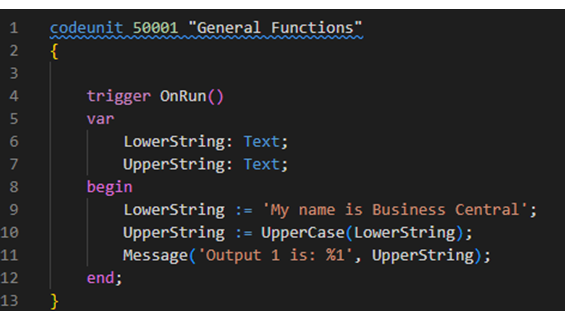
Message 1 is: Output 1 is: MY NAME IS BUSINESS CENTRAL.


